If your company uses Peakflo’s API integration, you can manage your API key settings directly from the Integrations page. This gives you full control over how external systems connect with Peakflo.
Who Can Access This?
Only users with Admin – Integrations permission can:
-
Create API keys
-
Delete API keys
-
Copy API keys
If you cannot see the API card under Integrations, please contact your Peakflo admin.
If you are unsure whether API integration is enabled for your account, please reach out to support@peakflo.co
How to manage API Keys?
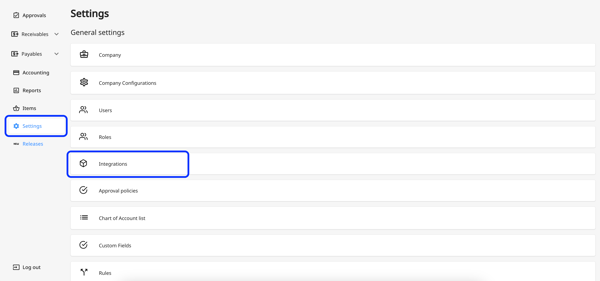
1. Go to "Settings" and click on "Integrations."
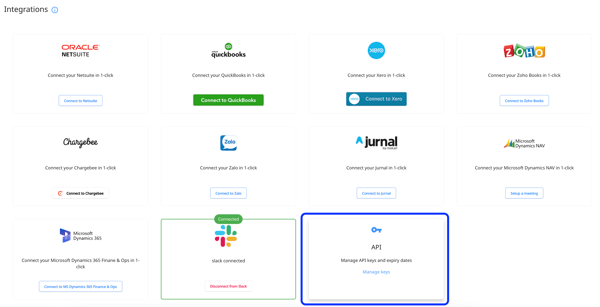
2. Select the "API" card.
Create a New API Key
-
Click "Create API Key."
-
Select an expiry date (must be a future date)
-
Click "Create."
Maximum API Key Limit
For security and manageability, each account can have up to 5 active API keys at any given time.
When you reach the limit of 5 active keys:
-
The "Create API Key" button will no longer be available.
-
A message will appear stating: “Maximum API key limit reached.”
If you need to generate a new API key after reaching this limit, you must first delete one of the existing active keys. This ensures that only a controlled number of integrations have access to your Peakflo environment.
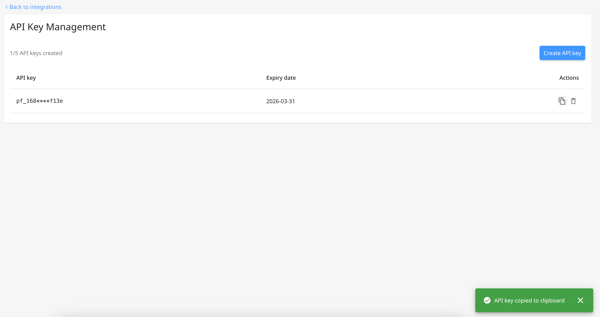
Copy an API Key
-
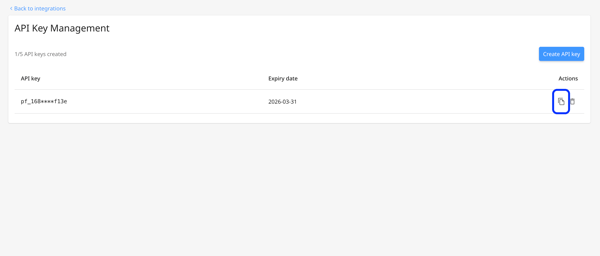
Click the copy icon next to the key.
-
You will see a confirmation message: “API key copied.”
Delete an API Key
-
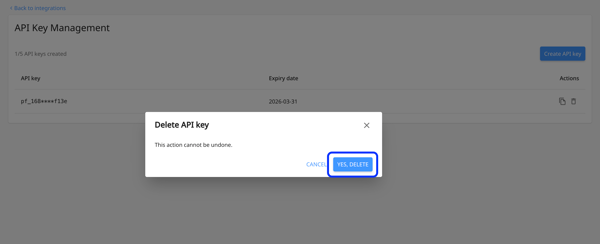
Click the delete icon.
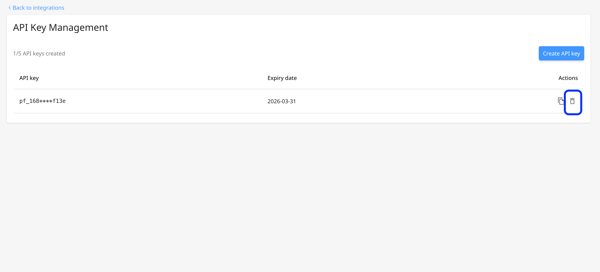
- Confirm the deletion.